









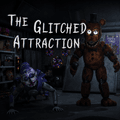



FNAF 3
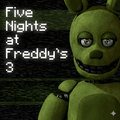
FNAF 3 is the third game in the Five Nights at Freddy’s series, set inside a new horror attraction called Fazbear’s Fright. Players take the role of a night security guard and work to survive while animatronics move through the building. This installment introduces Springtrap, a dangerous rabbit-like animatronic who becomes the main threat during the night shifts. Your task is to keep track of the attraction, manage its failing systems, and make it through each shift. Can you survive the nights at Fazbear’s Fright?
What Is FNAF 3?
Five Nights at Freddy’s 3, also known as FNaF 3, was developed by Scott Cawthon and released in March 2015. As the third horror installment in the FNAF series, it keeps the familiar survival focus while moving the action to a different location. Instead of guarding Freddy Fazbear’s Pizza, players must protect themselves inside Fazbear’s Fright, a horror-themed attraction inspired by the events and characters of the earlier games.
FNAF 3 keeps the core gameplay of watching for threats and staying alive through the night, but changes how players respond to danger. You monitor the attraction through security cameras, use audio devices to influence Springtrap’s movements, and manage the ventilation system when it malfunctions. This is a game where paying attention to several systems is essential. Each decision can help you stay safe, but a missed warning may leave you open to an attack.
Reviews
FNAF 3 received praise for its mechanics and gameplay. In particular, the reworked camera system was noted as a useful improvement over the systems in the previous games. The cameras do more than show where a threat is: they also work with the audio devices, giving players another way to affect Springtrap’s location.
The combination of cameras, audio, and ventilation creates a different kind of pressure during each shift. Players must watch the rooms, respond when systems fail, and avoid being distracted by phantom animatronics. Try to monitor the available information carefully instead of relying on a single tool. The improved system gives you more ways to react, but it also asks you to keep track of more than one danger at a time.
How to Play
Gameplay
Unlike FNAF 1 and FNAF 2, which take place at Freddy Fazbear’s Pizza, FNAF 3 is set at the horror attraction Fazbear’s Fright. You play as a night-shift guard responsible for surviving five nights, followed by an additional sixth night. Each shift tests your ability to watch Springtrap, use the security equipment, and keep the attraction’s systems working.
The setting changes the feel of the experience. Fazbear’s Fright is built around the frightening history of the earlier locations, and its rooms become the space you must watch through the cameras. You cannot simply ignore the equipment and wait for the night to end. Instead, you need to check the cameras, use audio when needed, and respond quickly to problems in the ventilation system.
Springtrap and Phantoms
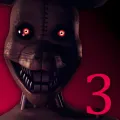
Springtrap is the main animatronic threat in FNAF 3 and the only animatronic that can directly kill the player. This rabbit-like character moves around the attraction and attempts to reach the security office. Because Springtrap’s position can change, you must keep checking the cameras and use the available tools to influence where he goes.
The other animatronics are phantom versions. They cannot attack and defeat you in the same way as Springtrap, but they can still disrupt your efforts. If phantom animatronics appear in the office, they can jumpscare you and cause one of the game’s systems to fail. That failure makes it harder to stay in control, so a phantom encounter can create a dangerous opening for Springtrap. Must remain alert even when a phantom is not an immediate lethal threat.
Staying Alive
To survive, use the two security cameras to follow Springtrap’s movement through Fazbear’s Fright. The camera system helps you understand where he is and where he may move next. You can also use the audio devices connected to the cameras to lure Springtrap away from your position. A well-timed sound can redirect him, giving you more time to manage the rest of the attraction.
FNAF 3 also lets you open or close the air vents to slow Springtrap’s progress. Keep checking the ventilation system, because it can fail during a shift. When a system stops working, try to reboot it as soon as possible. Delaying a repair can allow phantom animatronics to appear and interfere with your equipment. Stay focused on both the cameras and system status, since overlooking either one can make the night harder to control.
The game ends if Springtrap reaches you and defeats you with a jumpscare. Phantom animatronics can cause interruptions, but Springtrap remains the direct threat you must prevent from reaching the office. Try to use the audio devices, camera feeds, and ventilation controls together. These tools are most effective when you keep checking them and respond to changes before they become a larger problem.
Game Features
- A tense and immersive horror experience
- New gameplay mechanics
- Springtrap as a new character
- Audio devices and a ventilation system
- Multiple endings shaped by player actions and choices
Start Playing
FNAF 3 offers a new environment, new characters, and a different part of the series’ story. Its horror attraction setting and reworked mechanics create a fresh survival challenge while keeping the central goal clear: stay alive through the night. Start playing Five Nights at Freddy’s 3 to follow its unsettling story, manage the equipment, and face the dangers waiting inside Fazbear’s Fright.